Automatic Installation for Self-Managed MySQL Servers
Use this instruction to install Releem Agent automatically on every database server. Releem Agent will automatically collect metrics and recommend configuration.
CloudLinux
If you install Releem Agent on CloudLinux, review the CloudLinux-specific steps for CageFS and MySQLGovernor after installation.
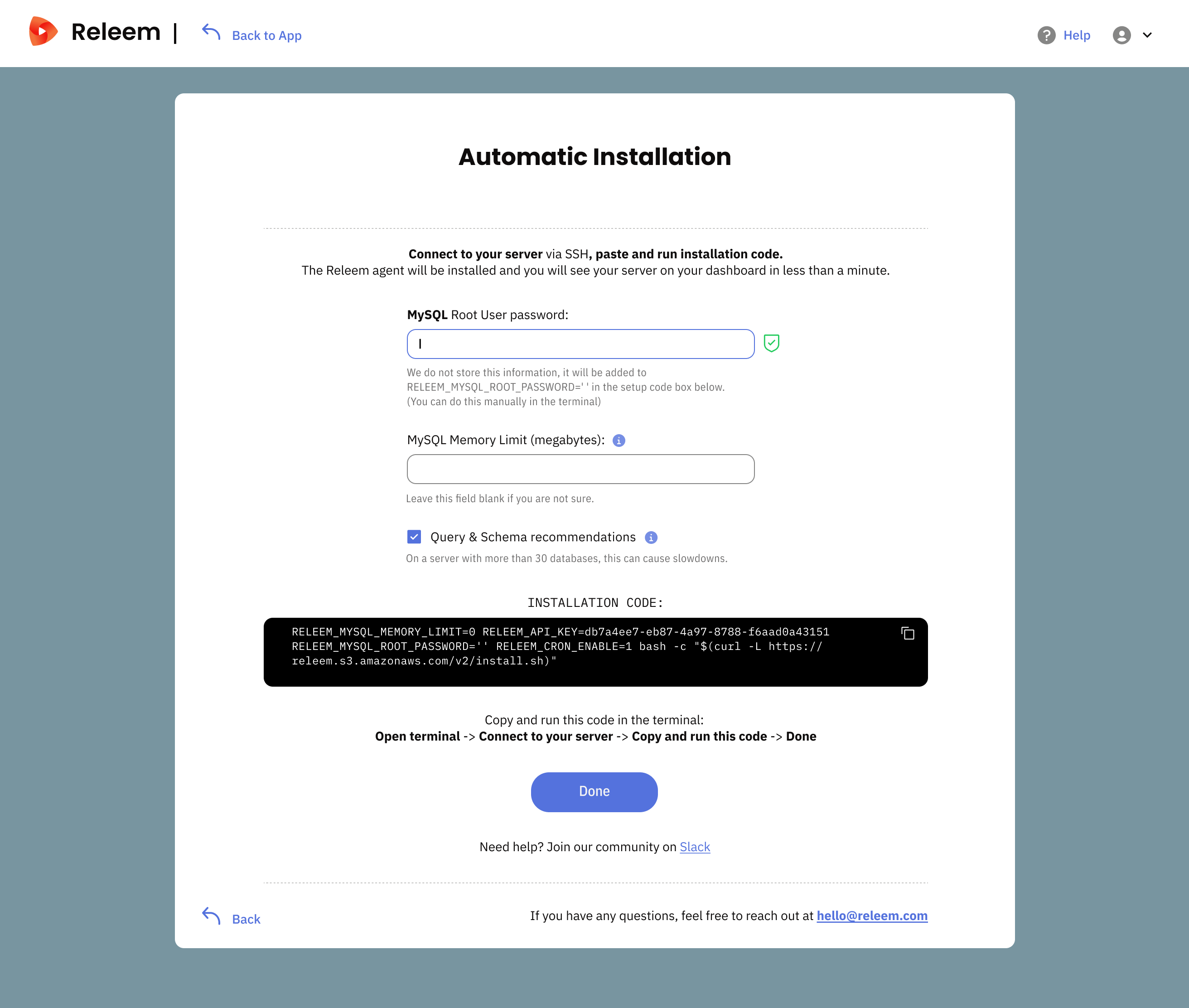
- Click "Add Server" link at Releem Customer Portal
- Fill fields:
- MySQL Root User Password (we don't store this password, it uses only to build Installation command)
- MySQL Memory Limit in Megabytes. Use this field only if it case there are installed other software on your server.
- Copy the Installation command, paste it into the terminal, and execute as a root user.
After Installation
Check that the MySQL variables required for metrics, slow query analysis, and query optimization are enabled:
SHOW VARIABLES
WHERE Variable_name IN (
  'performance_schema',
  'performance_schema_consumer_events_statements_current',
  'performance_schema_consumer_events_statements_history',
  'slow_query_log'
);
Expected values:
performance_schema=ON
performance_schema_consumer_events_statements_current=ON
performance_schema_consumer_events_statements_history=ON
slow_query_log=ON
If any value is OFF, add these settings to MySQL configuration and restart MySQL:
performance_schema=ON
performance_schema_consumer_events_statements_current=ON
performance_schema_consumer_events_statements_history=ON
slow_query_log=ON
Run a foreground check to verify that the agent can connect to MySQL and send data:
/opt/releem/releem-agent -f
Then check the service status:
systemctl status releem-agent